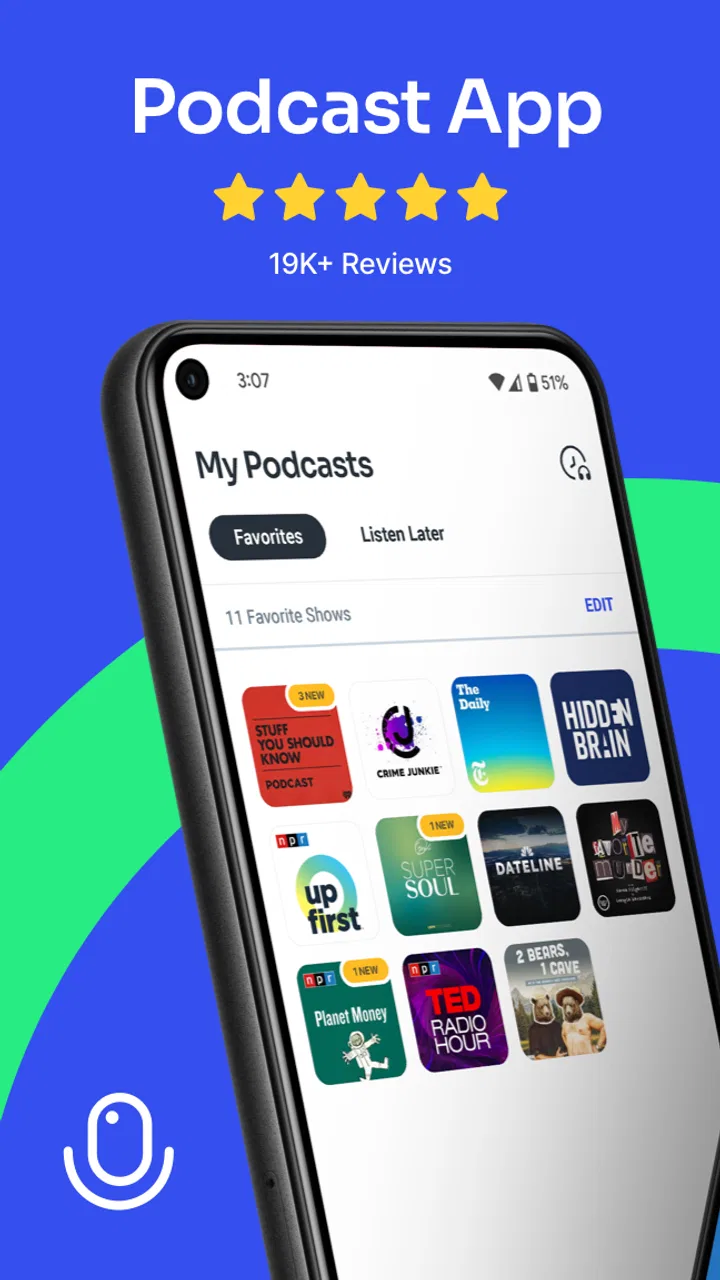
Podcast App
- 4.3
- Rating
- 1.00M
- Installs
- Free
- Price

 Analysis by App-foxy
I spent time with Podcast App as an everyday listening tool, and my first impression was that it aims for simplicity rather than trying to become an all-purpose media platform. It is a free Android app in the Music & Audio category, developed by Evolve Podcast App For Android, with a straightforward purpose: helping you find and listen to podcasts without making the experience feel more complicated than it needs to be.
That focus matters because podcast apps often become cluttered with recommendations, account prompts, social features, and settings that casual listeners never use. Here, I found the appeal easier to understand. If you mainly want a practical place for spoken audio, the app is worth considering. If you expect a polished ecosystem with every advanced feature found in the biggest podcast services, you should approach it with more measured expectations.
How the app feels during everyday listening
The app’s current version is 3.35.2, and it supports Android 7.0 or later. That relatively broad compatibility is useful if you keep an older phone as a backup, use a budget handset, or simply do not upgrade devices very often. I would not treat the minimum requirement as a promise that every older phone will feel equally quick, but it does make the app accessible to a wider range of Android users than newer software limited to recent releases.
You May Also Like

 Blood Strike: 2.5 Anniversary
Blood Strike’s Loadouts Turn Every Drop Into a Tactical Gamble
A close look at Blood Strike’s custom loadouts: how fast access to signature weapons reshapes its battle royale rhythm, rewards preparation, and narrows the gap between fights.

 Pandora - Music & Podcasts
Pandora’s Music Is Easy to Start, but Harder to Recover
Pandora’s strength is its low-effort path from a seed to a station. Its weak spot is how much confidence it asks you to place in connection, setup, and quiet recovery.

 8 Ball Pool
 Is Built on Rivalries, Rematches, and Routine
A close look at the rivalries, rematches, shared routines, and unanswered safety questions that turn a quick pool match into a persistent mobile community.

 Samsung Music
’s Quiet Strength Is Playing What You Already Own
Its reach comes less from spectacle than from dependable access to a personal library. That simplicity is both the app’s strongest retention engine and its ceiling.

 AccuWeather: Weather Radar
AccuWeather Review: A Quick, Clear Forecast for Everyday Decisions
For everyday plans, the best forecast is the one you can understand quickly. AccuWeather makes rain timing, radar, and local conditions easy to act on, with a few trade-offs.

 Hill Climb Racing
Why Hill Climb Racing Still Turns Crashes Into One More Run
A tiny car, a bumpy hill and one more upgrade: Hill Climb Racing keeps resurfacing because its simple chaos makes every near-miss feel personal.
More From Our News Desk



In normal use, the important speed question is not whether every screen feels dramatically instant. It is whether you can open the app, locate something worth hearing, and start listening without a long chain of decisions. Podcast App is best judged by that practical workflow. The lighter the task, the more natural it feels: open it, browse or search, choose an episode, and get on with your day.
One useful habit is to decide what you want to do before opening it. If I am looking for a particular show, I go directly to search instead of repeatedly scrolling through discovery sections. If I am in the mood for something new, I give myself a short browsing window and save anything interesting for later. This keeps the app from becoming a time sink and makes its simpler design work in its favor.
The main performance advantage is restraint. A focused podcast player does not need to behave like a video service, a social network, and a music store at the same time. That does not automatically make every interaction faster, but it can make the overall experience feel easier to manage, especially on a phone where storage, memory, or battery life are not generous.
What happens when listening becomes heavier
The more demanding moments are not necessarily the first launch or a single episode. They are the situations that combine several tasks: browsing a large catalog, switching between shows, moving through long episode lists, and continuing playback while doing other things on the phone. Those are the moments when any podcast app has to balance interface work with audio playback.
I would use Podcast App most confidently for regular listening sessions rather than treating it as a complete research database for every podcast ever made. For example, during a commute, I might choose an episode before leaving home and then avoid unnecessary browsing once playback begins. That workflow reduces interruptions and keeps the phone focused on audio instead of constantly loading new pages.
A second practical scenario is housework. I can start a longer episode, put the phone aside, and let the app serve as background company while I move between rooms. In that situation, the value is not flashy discovery; it is having a dedicated listening tool that does not demand constant attention. The same approach works for walking, cooking, or settling into a routine where spoken audio is more useful than visual entertainment.
Heavy users should think about organization before their library becomes unwieldy. Saving every interesting episode can create its own problem: a queue full of good intentions that is difficult to review later. I recommend keeping a short active list and removing items that no longer fit your interests. This is a small workflow change, but it makes a simpler app feel much more manageable than an overloaded one.
Another trade-off appears when you compare it with large podcast platforms. Bigger alternatives often put more emphasis on personalized discovery, cross-device continuity, and tightly connected media accounts. That can be better if you jump between devices or want recommendations to do most of the work. Podcast App is more appealing when you prefer to make the choice yourself and want the listening process to stay separate from a broader entertainment subscription.
Stability and recovering from interruptions
Reliability matters more in a podcast app than a visually impressive home screen. An audio session may last much longer than a typical interaction with another app, so recovery after a phone call, a notification, a temporary connection problem, or a trip through another app becomes part of the real experience.
My advice is to test your normal routine early rather than assuming every setup will behave identically. Start a short episode, pause it, leave the app, return later, and see whether the listening position fits your habits. Then try the same thing while switching between a few apps. This is not a benchmark, but it quickly tells you whether the app suits the way you actually use your phone.
When an interruption occurs, the best recovery strategy is simple: avoid repeatedly tapping play if the interface appears to be catching up. Give the app a moment, check whether playback has resumed, and then use the playback controls once. Repeated commands can make it harder to tell whether the problem is the app, the network, or the phone’s audio focus.
I also prefer starting an episode before entering a weak-signal area. That is sensible for any podcast service, but it is especially important if your listening time happens in elevators, underground transport, rural roads, or buildings with unreliable reception. A smooth session depends on more than the app itself; your connection and Android’s background behavior also matter.
The app’s audience size gives it some useful context. It has passed one million installs, with an average rating of 4.3 from around twenty-two thousand ratings and roughly five thousand reviews. Those figures suggest that it has reached a substantial group of Android listeners, while the rating also leaves room for the ordinary differences in expectations, devices, and listening habits that affect any app.
Older phones, storage, and background demands
Because the app works on Android versions going back to 7.0, it is a candidate for phones that newer podcast software may leave behind. That does not mean an older device will offer the same responsiveness as a recent one. A phone with limited free storage, many background services, or an aging battery can make almost any audio app feel less dependable.
If your phone is modest, I would prepare it before judging the app. Close tasks you no longer need, keep some storage available, and avoid testing playback while the device is already struggling with updates or large downloads. These steps are not special tricks for Podcast App; they are ways to separate the app’s behavior from general device stress.
Resource use is also about attention. A podcast player that lets you start an episode and leave the screen alone is less demanding in daily life than one that encourages constant visual browsing. I like that distinction because spoken audio is usually consumed while doing something else. The phone should support the activity, not become the activity.
On a newer device, I would expect the app to have an easier time handling ordinary browsing and playback. On an older Android phone, I would be more cautious about keeping many apps active at once and about relying on uninterrupted background behavior during long sessions. If your phone regularly closes background apps to save memory, that limitation may affect the experience regardless of which podcast player you choose.
Storage planning is another overlooked point. Podcast listening can become storage-heavy when episodes are kept for later, so I would review saved audio periodically instead of allowing old episodes to accumulate indefinitely. A short cleanup every week or two is enough for many listeners and prevents the phone from becoming crowded with content they have already forgotten.
Who will enjoy it, and who should choose something else
I see Podcast App as a good fit for Android users who want a dedicated podcast experience without paying an upfront fee. It is also sensible for people using older compatible phones, listeners who prefer a direct routine, and anyone who does not need podcast listening to be tied to a larger music or video membership.
It may suit a family member who is just getting into podcasts, provided someone helps establish a simple routine: search for a show, choose an episode, start listening, and keep the active list tidy. That is more useful than showing them every possible setting at once. The app’s Teen content rating also makes it a product intended for a broad older audience rather than something designed specifically for young children.
I would look elsewhere if your priority is a highly connected ecosystem across several platforms. A service built around account synchronization may be more convenient if you start listening on an Android phone, continue on a tablet, and finish on another device. Likewise, listeners who want sophisticated personalization, extensive social discovery, or a single subscription covering several types of media may prefer a larger mainstream alternative.
There is also a financial detail worth considering. The app is free to install, but in-app purchases range from $19.99 to $34.99 per item. That means I would inspect the purchase screen carefully before confirming anything and decide whether the free experience already covers my needs. For a casual listener, paying is not automatically necessary simply because optional purchases exist; for a frequent listener, the value depends on what those items provide and how often the app is used.
Compared with a phone’s built-in media tools, Podcast App has a more focused identity. A general audio player may be enough if you already manage podcast files yourself, but it usually does not feel as purpose-built for discovering and organizing shows. Compared with major podcast networks, this app feels less like a complete media destination and more like a practical Android listening option. That middle ground is its clearest strength and its clearest limitation.
Small habits that make the experience better
My first tip is to separate discovery from listening. Browse when you have time, choose one or two episodes, and then begin playback without continuing to search. This reduces distractions and avoids the common mistake of spending longer selecting audio than actually hearing it.
My second tip is to use a short trial session before committing to a long commute or trip. Test playback, pausing, returning to the app, and moving through another application. If the routine feels comfortable on your phone, you will have more confidence using it away from home. If it feels awkward, you have found that out before the inconvenience matters.
My third tip is to treat saved episodes as a working list, not a permanent archive. Keep the episodes you realistically plan to hear soon, and remove the rest. This makes browsing less tiring, reduces storage pressure, and gives you a clearer idea of whether the app’s organization matches your habits.
Finally, be deliberate about purchases. Since the app is free but includes optional items, I would use the free portion long enough to understand my actual needs. A purchase can make sense for a committed listener, but it is harder to judge fairly when made before establishing a routine.
My final performance verdict
After looking at the app through the lens of speed, stability, and device demands, I think Podcast App is most convincing as a straightforward Android podcast companion. It does not need to compete with every feature-heavy alternative to be useful. Its strongest case is the listener who wants to open an app, find spoken audio, and get back to the rest of the day.
The experience will still depend on the phone, connection, available storage, and Android’s handling of background activity. I would not promise identical behavior on every compatible device, especially when the minimum supported version reaches older hardware. What I can say is that the app’s broad compatibility and focused purpose make it a reasonable option for people who value access and simplicity over a large connected ecosystem.
With more than one million installs and a 4.3 average, it has clearly found an audience, but popularity alone is not the reason I would recommend it. I would recommend it when the match is right: Android users who want a free starting point, a dedicated audio tool, and a routine that does not depend on constant visual interaction. I would skip it in favor of a broader platform if seamless multi-device continuity or advanced discovery is central to your listening life.
For my own use, the best approach is to keep the workflow modest: choose episodes intentionally, test recovery on your particular phone, clean up saved content, and be cautious with optional purchases. Follow those habits and Podcast App becomes a practical choice rather than an app you keep evaluating through endless menus. It is not the universal answer for every podcast listener, but for a focused Android setup, it deserves a fair try.
FAQs for Podcast App
01What is Podcast App and what can I use it for?
Podcast App is a mobile listening platform designed to help you discover, subscribe to, and play podcasts from different categories. After installing it, you can browse popular shows, search for specific programs or topics, stream episodes online, and often save content for later listening. It is useful for entertainment, news, education, interviews, storytelling, and keeping up with favorite creators in one place.
02Does Podcast App require an internet connection to work?
An internet connection is generally needed to search for podcasts, load new episodes, stream audio, and synchronize subscriptions. However, the app may allow you to download episodes while connected to Wi-Fi so they can be played offline later. This is particularly convenient during travel or in areas with weak reception. Availability of offline playback and download controls can vary depending on the app version and device.
03Is Podcast App free to download and use?
Podcast App can usually be downloaded without an upfront charge, but the exact features available for free may depend on the platform and version. Some podcast services include advertising, optional premium subscriptions, paid shows, or in-app purchases. Before downloading episodes or subscribing to a paid plan, review the pricing information shown in the application store and inside the app to avoid unexpected charges.
04Can I create a personal library and manage my favorite podcasts?
Yes, the main purpose of Podcast App is to make podcast management easier. You can typically follow shows, save episodes, create a listening queue, and receive updates when new content is published. Some versions also provide playback history, personalized recommendations, speed controls, sleep timers, and automatic downloads. The available organization tools may differ, so users who manage many subscriptions should explore the library settings after installation.
05Is Podcast App safe to install and what permissions might it request?
Podcast App should be downloaded from the official Google Play Store or Apple App Store to reduce the risk of installing an altered or unsafe version. Depending on its features, it may request access to notifications, mobile data, storage, or background activity for downloads and playback controls. Check the developer name, ratings, privacy policy, and requested permissions before installation, and disable any permission that is not necessary for your intended use.
Pros
- Clean interface makes browsing and managing subscriptions simple.
- Offline downloads let you listen without using mobile data.
- Playback speed controls are useful for fitting episodes into busy schedules.
- Sleep timer automatically stops playback after a selected period.
- Personalized recommendations help discover podcasts related to your interests.
Cons
- Some advanced features may require a premium subscription.
- Recommendations can become repetitive if your listening habits are narrow.
- Large downloads may quickly consume available device storage.
- Notification controls may need adjusting to avoid frequent alerts.
- Podcast availability and episode updates can vary by region or publisher.

Podcast App
Gallery